

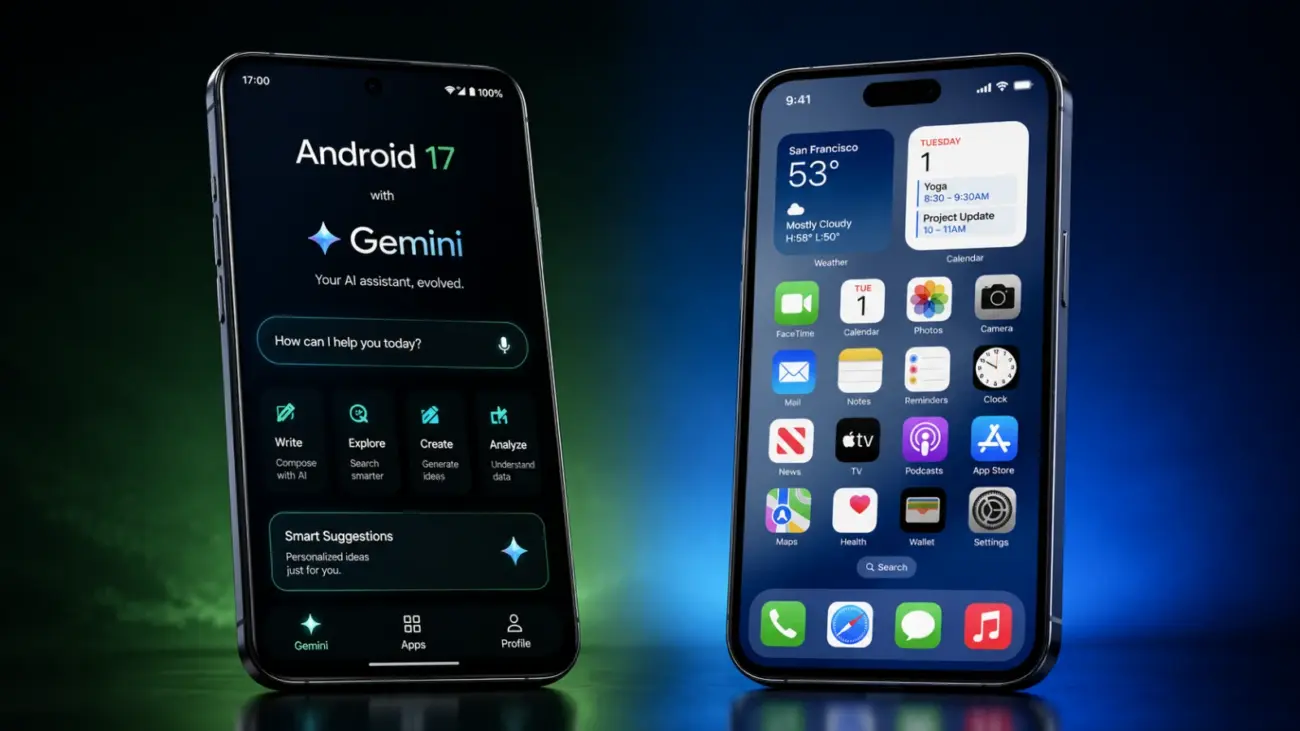
Google dropped Android 17 as a stable update on June 16, 2026, and the tech world has been buzzing ever since. Codenamed Cinnamon Bun internally, this is the most AI-forward version of Android that Google has ever shipped and it arrives at a moment when the Android vs iPhone debate has never been more interesting. But here is the real question that millions of iPhone users are asking right now: does Android 17 bring enough to the table to actually justify switching?
The short answer is nuanced. Android 17 is a genuinely impressive upgrade multitasking, security, and AI infrastructure have all taken real leaps forward. But the headline feature, Gemini Intelligence, comes with hardware requirements so steep that most existing Android phones cannot run it, let alone iPhones. This review breaks down exactly what Android 17 delivers today, what is still rolling out this summer, and who should seriously consider making the switch from iOS.
Contents of Android 17 Review
What Is Android 17 and What Makes It Different
Android 17 officially launched on June 16, 2026, rolling out first to Pixel 6 through Pixel 10a devices. Samsung Galaxy phones will follow throughout 2026, with One UI 9 expected to debut on the Galaxy Z Fold 8 and Z Flip 8 at Galaxy Unpacked in London on July 22. Other manufacturers including OnePlus, Xiaomi, Motorola, and Realme are expected to push their stable Android 17 builds in Q3 2026.
Google announced Android 17 on May 12, 2026, during The Android Show a dedicated event that replaced the traditional I/O software keynote format. The company’s Android chief Sameer Samat described Android 17 not as an operating system update but as an “intelligence system,” signaling a philosophical shift in how Google thinks about its mobile platform. This framing matters because Android 17 is not just about new features – it is about repositioning Android as a proactive AI layer that works for you rather than waiting for commands.
Android 17 Key Features: What Is Actually Here Today
It is important to separate what shipped on June 16 from what Google has promised for later this summer. Here are the features that are live and available right now on Android 17 devices.
App Bubbles: Multitasking Finally Goes Native
The most immediately practical upgrade in Android 17 is Bubbles a native floating window system that lets any app run as an overlay above whatever else you are doing. Samsung users have had something similar through One UI for years, but it was never system-wide and never as smooth as what Google has built here. On Android 17, any app can become a floating bubble. You can stack multiple apps, minimize them all at once, and switch between tasks without losing context.
For iPhone switchers, this alone is a significant quality-of-life difference. iOS still does not offer anything close to this at the system level. Split View on iPad exists, but on iPhone, true floating multitasking remains absent.
Stronger Privacy Controls
Android 17 ships with three meaningful security upgrades that close gaps Apple has held for years — and in one case, goes further than iOS.
The new biometric Mark as Lost feature locks a device even if the thief knows your PIN or passcode. Apple’s Stolen Device Protection, introduced in iOS 17.3, requires a delay period before sensitive changes can be made. Android 17’s implementation adds biometric verification as a hard requirement when the device is marked lost, which is arguably the stricter approach. One-time location access is now the default prompt behavior – an app gets your location for a single session and must ask again. The revamped Microphone, Camera and Location permission dialog also now clearly shows which specific apps are accessing your location at any given moment, rather than a generic indicator.
Rambler: Smarter Voice Input
Rambler is a new AI-powered Gboard feature that transforms voice input. Unlike standard dictation, which transcribes whatever you say including filler words and false starts, Rambler uses on-device AI to filter out “um,” “like,” and mid-sentence corrections, reorganizing your speech into a polished, coherent message. You retain full control to review and edit the result before sending. For anyone who types long messages on their phone, this is a genuinely useful addition that requires no special hardware to run.
Noto 3D Emoji – Pixel Exclusive at Launch
Google redesigned nearly 4,000 emojis with a slightly three-dimensional look called Noto 3D, built to feel more expressive and physically present than the flat design that has been standard for years. At launch, these are Pixel-exclusive, appearing first in Gboard, YouTube, and Gmail. Other Android phones and apps will get them eventually, but no timeline has been confirmed.
AirDrop Compatibility Expansion
Quick Share – Android’s answer to AirDrop – now works natively with Apple’s AirDrop on Pixel 10 and Pixel 9 devices, a rollout that began in November 2025 and February 2026 respectively. Android 17 expands this compatibility to phones from Honor, OnePlus, Xiaomi, and others. Additionally, any Android user can now generate a Quick Share QR code that an iPhone user can scan to receive a file instantly — removing one of the most persistent friction points between the two ecosystems.
Screen Reactions
Screen Reactions, announced at Google I/O 2026, allows simultaneous screen recording and front-camera capture with automatic background removal. You can record your screen while reacting to it with your face no green screen, no third-party app required. This is built for content creators and anyone who makes tutorial videos, product demos, or reaction content directly from their phone.
Priority Charging and Desktop Mode
Priority Charging is a smart battery management feature that pauses resource-heavy background processes and limits CPU usage when you need a fast charge, directing more current directly to the battery. Android 17 also ships with a meaningfully improved Desktop Mode better window snapping, a proper taskbar, and stronger support for external 4K displays. This is aimed squarely at foldable and tablet users, and it makes a compelling case for Android as a genuine laptop replacement for light workflows.
Pause Point: Built-In Doomscroll Blocker
When you open an app that Android identifies as a doomscrolling distraction, Pause Point shows a 10-second splash screen giving you a moment to reconsider. It is a small behavioral nudge, not a hard block but it is the first time an operating system has built screen-time friction directly into the launch flow of specific apps rather than requiring manual configuration in settings.
Gemini Intelligence: The Big Feature With a Catch
Gemini Intelligence is the centerpiece of Google’s Android 17 marketing, and it is genuinely impressive in concept. It is a system-level AI layer that runs locally on the device using Gemini Nano v3 Google’s smallest large language model to automate multi-step tasks across apps without requiring constant user input. Examples Google has demonstrated include scanning Gmail for a school syllabus and automatically building a shopping cart of required textbooks, converting a grocery list from your notes app into a purchase-ready cart, booking appointments by navigating websites autonomously, and generating functioning home screen widgets from plain-language descriptions.
The catch is significant. Gemini Intelligence does not run on most phones – including many that were considered top-tier flagship devices just months ago.
Who Actually Qualifies for Gemini Intelligence
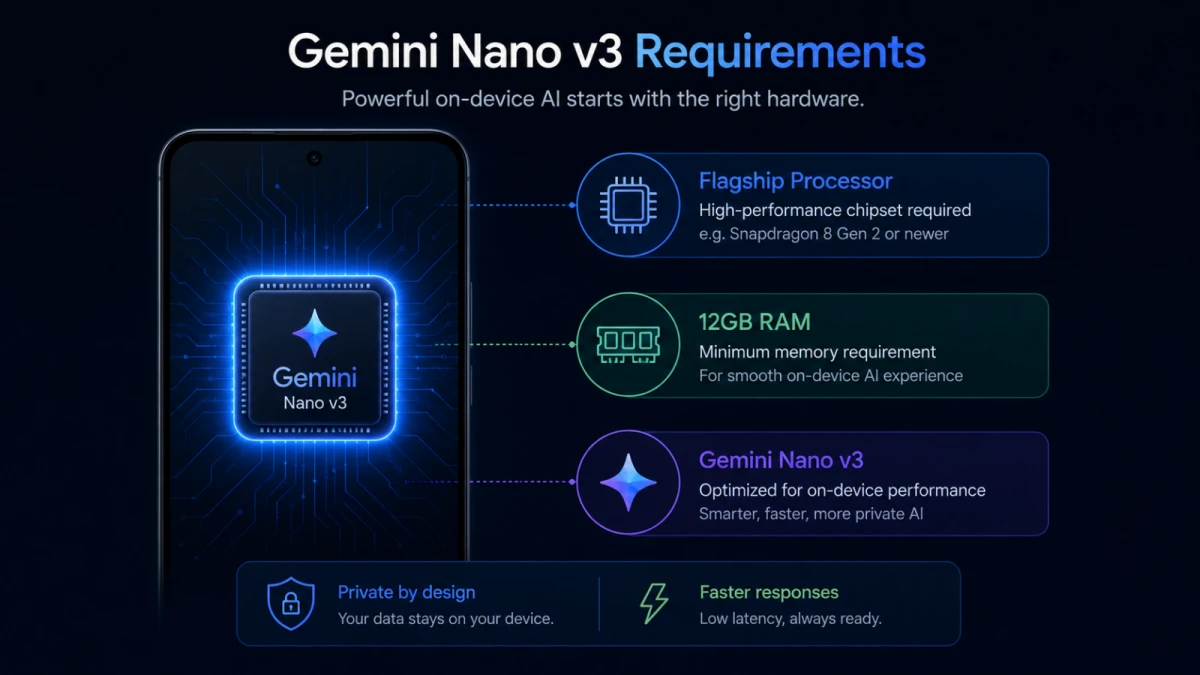
According to Google’s official Gemini Intelligence product page, a device must meet all of the following to run these features: Gemini Nano v3 support, a qualified flagship-grade SoC, a minimum of 12GB of RAM, HDR and spatial audio media support, at least five years of guaranteed OS updates, and six years of quarterly security patches.
The Gemini Nano v3 requirement is the decisive filter. As of June 2026, confirmed compatible devices are limited to the Google Pixel 10 series, Samsung Galaxy S26 series, and OnePlus 15 series, along with select 2026 flagships from Xiaomi, OPPO, Realme, Honor, and Motorola. Notably excluded are the entire Google Pixel 9 series despite the Pixel 9 Pro carrying 16GB of RAM and a flagship Tensor G4 chip because it shipped with Gemini Nano v2, not v3. The Samsung Galaxy S25 lineup, Galaxy Z Fold 7, and Galaxy Z Flip 7 are also excluded for the same reason.
Apple Intelligence, by comparison, requires a minimum of 8GB of RAM, which is why it supports iPhone 15 Pro and newer. Google’s 12GB floor means Gemini Intelligence is targeting a significantly narrower hardware tier at launch.
The Galaxy Z Fold 8, expected at Samsung’s July 22 Galaxy Unpacked event in London, is widely anticipated to be the first device to publicly ship with Gemini Intelligence fully active. Google’s Pixel 11 is expected next, likely in August 2026.
| Device | Gemini Intelligence | Reason |
|---|---|---|
| Google Pixel 10 series | ✅ Yes | Tensor G5 + Gemini Nano v3 |
| Samsung Galaxy S26 series | ✅ Yes | Snapdragon 8 Elite + Nano v3 |
| OnePlus 15 | ✅ Yes | Nano v3 confirmed |
| Google Pixel 9 series | ❌ No | Nano v2 only, no v3 upgrade confirmed |
| Samsung Galaxy S25 series | ❌ No | Nano v2 only |
| Samsung Galaxy Z Fold 7 | ❌ No | Nano v2 only |
| Samsung Galaxy Z Fold 8 | ✅ Expected | Launches July 22, 2026 |
Android 17 vs iOS: Where Google Now Leads
The honest comparison between Android 17 and Apple’s current software iOS 26, with iOS 27 announced at WWDC in June 2026 and expected this fall shows a platform that has closed gaps it has had for years while opening new ones in areas Apple simply has not addressed.
AI Depth and Automation
Android 17’s Gemini Intelligence, even in its narrow launch form, represents a more aggressive agentic AI implementation than anything Apple has shipped. Apple Intelligence on iOS 26 can complete some cross-app Siri actions, but the proactive, background-execution version that Apple described in 2024 remains partially delivered. Gemini Intelligence, by contrast, is designed from the ground up to complete multi-step workflows autonomously acting, then asking for confirmation only at the final step. Android Central noted in June 2026 that essentially every new Siri feature Apple announced at WWDC is already available on most Android phones through Gemini.
On-Device AI Without Internet
Because Gemini Nano v3 runs entirely on the device through Android’s AICore system, Gemini Intelligence features work offline. iOS 27’s deeper Apple Intelligence integration still routes more complex tasks through Apple’s Private Cloud Compute infrastructure, which means a poor 5G connection or subway tunnel can disrupt AI features mid-task on iPhone. On qualifying Android 17 hardware, that is not a variable.
Hardware Flexibility and Price Range
Android 17 runs across a vast range of hardware from the Pixel 6 series to the latest Galaxy foldables. iPhone users considering a switch have access to devices at almost every price point. The Pixel 10a, Galaxy S26 FE, and comparable mid-range phones will run most of Android 17’s core features. Gemini Intelligence specifically requires a 2026 flagship, but everything else Bubbles, Rambler, Privacy controls, AirDrop compatibility, Desktop Mode works on all Android 17 supported phones.
Multitasking
This is where Android 17 is simply ahead. Native app Bubbles, improved Desktop Mode with 4K display support, and foldable gaming mode that splits the screen 50/50 between game view and controls represent a multitasking stack that iOS on iPhone does not have an answer to in 2026.
Where iPhone Still Holds an Edge
A fair review requires acknowledging where Apple maintains real advantages, not theoretical ones.
Software update consistency remains an Apple strength. When iOS 27 drops this fall, every supported iPhone gets it on the same day. Android 17 rolled out to Pixel phones on June 16, but Samsung devices are tied to the July 22 Galaxy Unpacked announcement, and most mid-range phones from other manufacturers will not see stable builds until Q3 2026. Regional and carrier timing differences add further unpredictability. Tech Cabal’s analysis of Android 17 rollouts noted that carrier-locked devices in the US and country-by-country A-series rollouts can differ by months.
Ecosystem integration for Apple hardware users is still significantly tighter. If you use a Mac, iPad, Apple Watch, and AirPods, iOS 26 and iOS 27 offer Continuity features Universal Clipboard, Handoff, AirDrop, Sidecar — that work seamlessly without any configuration. Switching to Android breaks that chain, and while Google and Samsung have built strong cross-device integrations with Windows PCs, it is a rebuild from scratch for anyone deep in Apple’s ecosystem.
Resale value and long-term support predictability also favor iPhone. Google has extended support for the Pixel 10 series to seven years. But across the broader Android landscape, support timelines vary significantly by manufacturer, and resale values for Android phones historically depreciate faster than comparable iPhones in markets like the US and UK.
Which Android Phones to Consider If You Are Switching from iPhone
If Android 17 has you seriously considering a switch, the device you choose matters more than the software version you are running. Here is a practical breakdown.
Google Pixel 10 — Best for Pure Android 17 Experience
The Pixel 10 runs Android 17 with the Tensor G5 chip and supports Gemini Intelligence from day one. Google guarantees seven years of OS and security updates. It is the closest Android equivalent to buying a new iPhone — direct from the OS maker, no UI skin, no bloatware. Starting price is expected around $799.
Samsung Galaxy S26 — Best for Ecosystem Depth
The Galaxy S26 series runs One UI 9 on top of Android 17 and supports Gemini Intelligence. Samsung’s DeX desktop mode, S Pen integration on the Ultra model, and tight integration with Windows PCs via Phone Link make it the strongest productivity option among Android 17 phones available today.
Samsung Galaxy Z Fold 8 — Best for Power Users
Expected at Galaxy Unpacked on July 22, 2026, the Galaxy Z Fold 8 is anticipated to be the first device to publicly debut Gemini Intelligence in its complete form. For iPhone users who want to see what Android 17’s AI ambitions look like at their fullest, this is the device to watch. Premium pricing expected.
Pixel 10a — Best Value for Switchers
Not every Android 17 feature requires flagship hardware. The Pixel 10a delivers the core Android 17 experience — Bubbles, Rambler, improved privacy controls, AirDrop compatibility — at a significantly lower price. Gemini Intelligence is off the table, but for switchers who want to test Android without spending flagship money, this is the most practical entry point.
How to Switch from iPhone to Android 17
Android 17 includes a significantly improved iPhone migration system, developed in close collaboration with Apple according to Google’s product lead for Onboarding, Paul Dunlop. The process is now wireless-first and covers more data types than any previous version.
How to Transfer from iPhone to an Android 17 Phone
Android 17’s wireless transfer system moves your data from iPhone to Android without cables, covering contacts, photos, apps, passwords, eSIM, and home screen layout.
Back up your iPhone
Before starting, back up your iPhone to iCloud. Go to Settings, tap your name, select iCloud, then iCloud Backup, and tap Back Up Now. This protects your data in case anything goes wrong during transfer.
Set up your Android 17 phone and open the Switch app
Power on your new Android 17 device and follow the initial setup until you reach the data transfer screen. Select “Transfer from iPhone” — Android 17 builds this directly into the setup flow without needing a separate app download.
Place your iPhone next to your Android phone
Android 17’s wireless transfer uses a combination of Bluetooth and Wi-Fi Direct. Hold the two phones close together and follow the on-screen prompts. The Android phone will detect the iPhone automatically.
Select what to transfer
Choose from contacts, photos, downloaded apps, saved passwords, your eSIM, app settings, and home screen arrangement. Android 17 supports transferring the home screen layout for the first time, mirroring what Apple built into iPhone-to-iPhone transfers years ago.
Complete the Google Account and eSIM transfer
Android 17 handles Google Account setup and eSIM migration as part of the same flow. You do not need to visit a carrier store to transfer your number in most cases. Confirm the transfer on both devices when prompted and wait for the process to complete.
Should You Switch from iPhone to Android 17?
The honest answer depends entirely on what you want from your phone.
Switch to Android 17 if you want a phone that functions like a small computer one you can connect to a monitor and actually work on, run floating apps simultaneously, customize deeply, and access AI features that operate offline and across apps without waiting for Siri to catch up. If you are on a Pixel 10, Galaxy S26, or planning to buy the Galaxy Z Fold 8, you are getting one of the most capable mobile platforms ever built.
Stay on iPhone if your life runs through Apple’s ecosystem Mac, iPad, Apple Watch, AirPods — and that integration matters more to you than cutting-edge AI or multitasking flexibility. iOS 27 is coming this fall and will bring Apple Intelligence improvements that close some of the gap. iPhone’s software support consistency, resale values, and ecosystem continuity remain genuine advantages that no Android manufacturer has fully matched.
What Android 17 does make clear is that the gap between the two platforms once measured in years is now measured in months. Gemini Intelligence is the most ambitious on-device AI system on any smartphone today. The hardware requirements are steep and the rollout is narrow at launch, but the direction is unmistakable. Google is not chasing Apple anymore. In AI and multitasking, it is setting the pace.
FAQs
Does Android 17 work on my current Android phone?
Android 17 rolled out to Pixel 6 through Pixel 10a on June 16, 2026. Samsung, OnePlus, Xiaomi, and other manufacturers are expected to push their stable updates in Q3 2026. Mid-range devices may receive the update later in 2026 or early 2027 depending on the manufacturer. Check your device’s system update settings or your manufacturer’s website for confirmed timelines.
Can I get Gemini Intelligence on my Pixel 9 or Galaxy S25?
No — not as of June 2026. Gemini Intelligence requires Gemini Nano v3, which is only available on 2026 flagship hardware including the Pixel 10 series, Galaxy S26 series, and OnePlus 15. The Pixel 9 Pro — despite having 16GB of RAM — ships with Nano v2, and Google has not confirmed a v3 upgrade path for the Pixel 9 family or the Galaxy S25 lineup.
Is Android 17 better than iOS for AI features?
On qualifying 2026 flagship hardware, yes. Gemini Intelligence offers deeper cross-app automation, offline on-device processing, and more autonomous task completion than Apple Intelligence currently delivers on iOS 26. Apple’s iOS 27, expected this fall, is set to bring improvements, but Android 17’s agentic AI approach is ahead as of June 2026 on supported devices.
How long will my phone be supported on Android 17?
Google guarantees seven years of OS and security updates for the Pixel 10 series. The Pixel 6 series, which is receiving Android 17, reaches end of support in October 2026 — meaning it will not receive Android 17 QPR2 or later updates. Samsung promises seven years of updates for Galaxy S25 and S26 series devices. Other Android manufacturers vary significantly, so check your specific device’s support policy before purchasing.
Related Guides
- Update Android Now This Bug Is Already Being Exploited in June 2026
- Android Fake Call Detection How It Really Works in 2026
- iOS 27 Beta How to Install, Siri AI Features and Risks on Your iPhone
- Best iPhones to Buy Right Now in 2026 New vs Older Models Compared
Discover more from iTechnoGlobe
Subscribe to get the latest posts sent to your email.
